
User guide
Focus & timer
A focus session for one task, with background sound, plus a simple countdown timer.
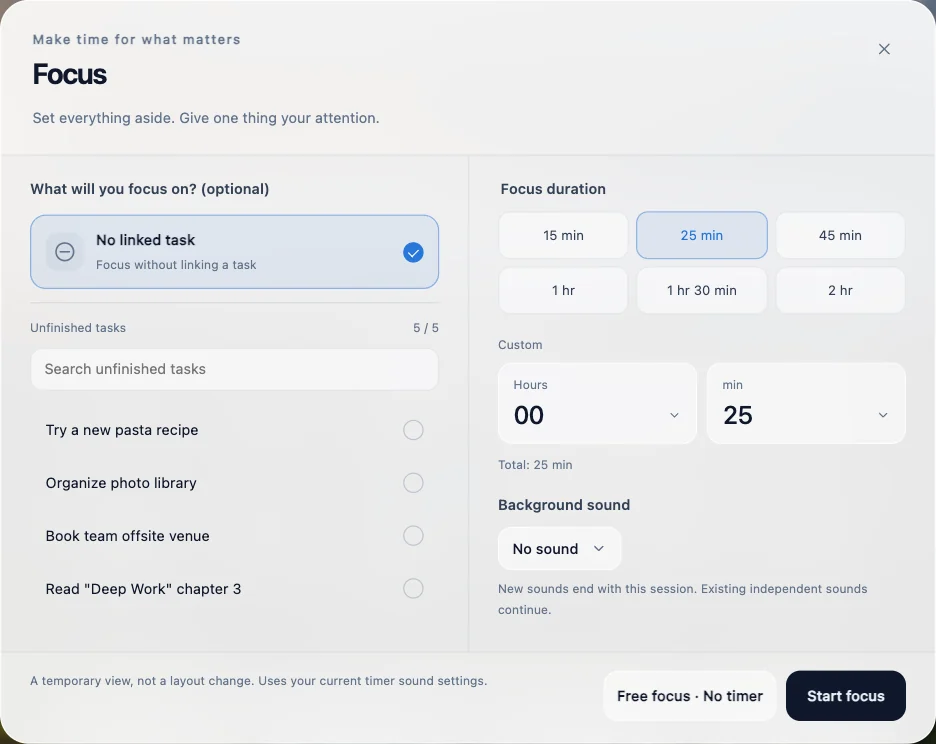
Focus
Open Focus from the dashboard toolbar.
- Pick one of your unfinished to-dos, or focus without a task.
- Set a duration — or choose free focus with no countdown.
- Optionally add a background sound, then start.
The full-screen focus view shows your progress. Leaving keeps the timer running and doesn't complete your task.
Countdown timer
Click the hourglass next to the dashboard clock. Count down a Duration from 1 second to 24 hours, or count down to a Date & time. Closing the panel keeps it running, and you'll get a notification when time is up — plus a sound if Play a sound is on.