
User guide
Getting started
Install TabTerrace, open your dashboard and build your first grid in a minute.
1. Install and pin
Add TabTerrace from the Chrome Web Store, then click the puzzle icon in Chrome's toolbar and pin TabTerrace so it's always one click away.
2. Open your dashboard
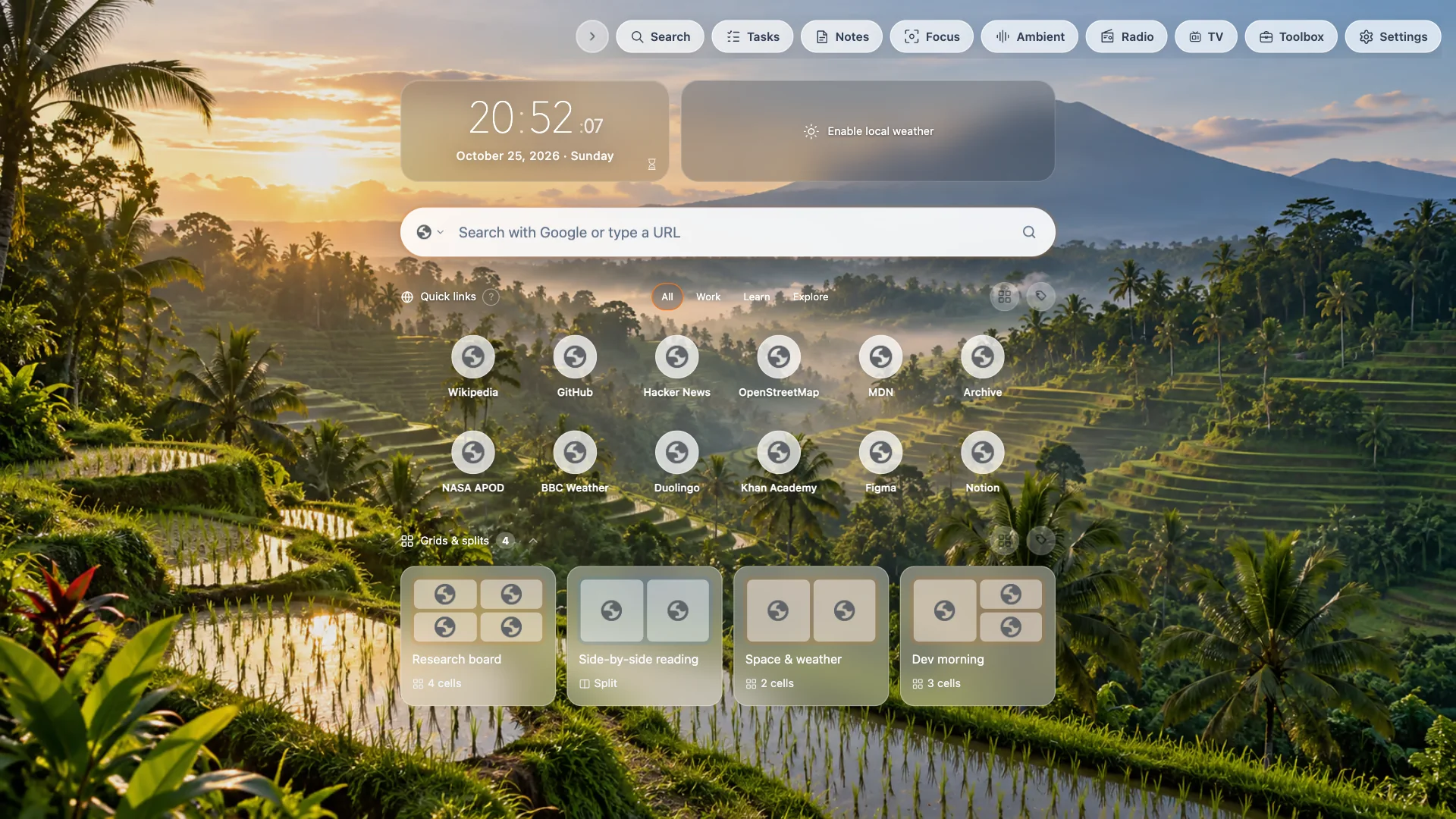
Click the TabTerrace icon. By default it opens a full-page dashboard with search, your sites, saved grids and splits, and a toolbar of tools. Prefer a small popup instead? Change it in Settings under Clicking the extension icon opens.
3. Make your first grid
- Open a few websites in normal tabs.
- In the dashboard, choose Manage next to Grids & splits (or open the popup) and pick Grid.
- Select the pages you want, choose a layout and click Merge into grid.
Your pages now sit side by side in one tab. Each cell is a real, live page. Learn more in Tab grid.
What's next
- Pair two pages with Chrome's split view.
- Name and tag your work in Projects.
- Make the dashboard yours with backgrounds and modules.