
User guide
To-dos
A simple list or an urgent/important matrix, with achievements and badges.
Open Tasks from the dashboard toolbar. The badge on the icon shows how many tasks are left.
Two ways to plan
- Simple — one list. Type a task and press Enter. Click a task to edit it; drag to reorder.
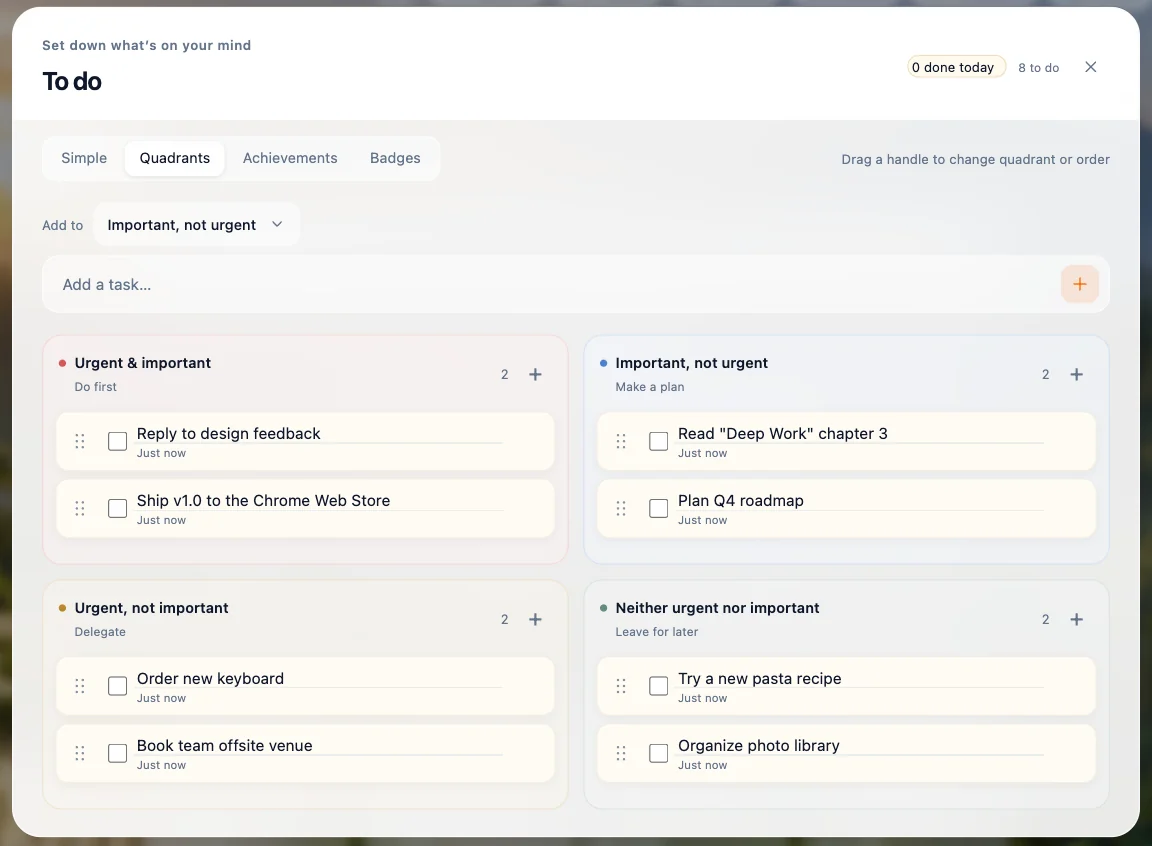
- Quadrants — sort tasks by urgency and importance: Do first, Make a plan, Delegate and Leave for later. Drag a task's handle to move it between quadrants, or use + in a quadrant to add one there.
Celebrate progress
- Achievements shows what you finished today and this week, with a calendar — tap a date to see what you completed that day.
- Badges you earn as you finish more tasks.
- Finishing a task pops a small burst of confetti; clearing a whole quadrant or every task fills the screen. It's skipped when your system asks to reduce motion, and you can turn it off in Settings → General.